CupertinoActionSheet
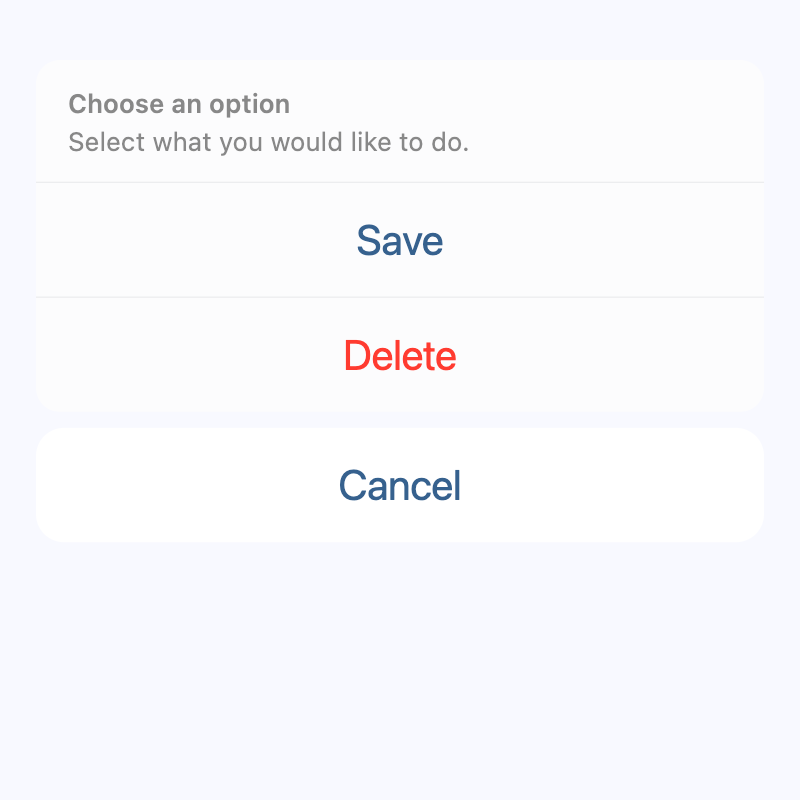
An iOS-style action sheet.
Action sheets are generally used to give the user a choice between two or more choices for the current context.
Example:
sheet = ft.CupertinoActionSheet(
    title=ft.Text("Choose an option"),
    message=ft.Text("Select what you would like to do"),
    cancel=ft.CupertinoActionSheetAction(content=ft.Text("Cancel")),
    actions=[
        ft.CupertinoActionSheetAction(content=ft.Text("Save")),
        ft.CupertinoActionSheetAction(
            content=ft.Text("Delete"), destructive=True
        ),
    ],
)
page.show_dialog(ft.CupertinoBottomSheet(sheet))
Inherits: LayoutControl
Properties
actions- A list of action buttons to be shown in the sheet.cancel- An optional control to be shown below the actions but grouped separately from them.message- A control containing a descriptive message that provides more details about the reason for the alert.title- A control containing the title of the action sheet.
Examples
Basic Example
import flet as ft


def main(page: ft.Page):
    page.horizontal_alignment = ft.CrossAxisAlignment.CENTER

    messages = ft.Column(tight=True)

    def handle_click(e: ft.Event[ft.CupertinoActionSheetAction]):
        messages.controls.append(ft.Text(f"Action clicked: {e.control.content.value}"))
        page.pop_dialog()

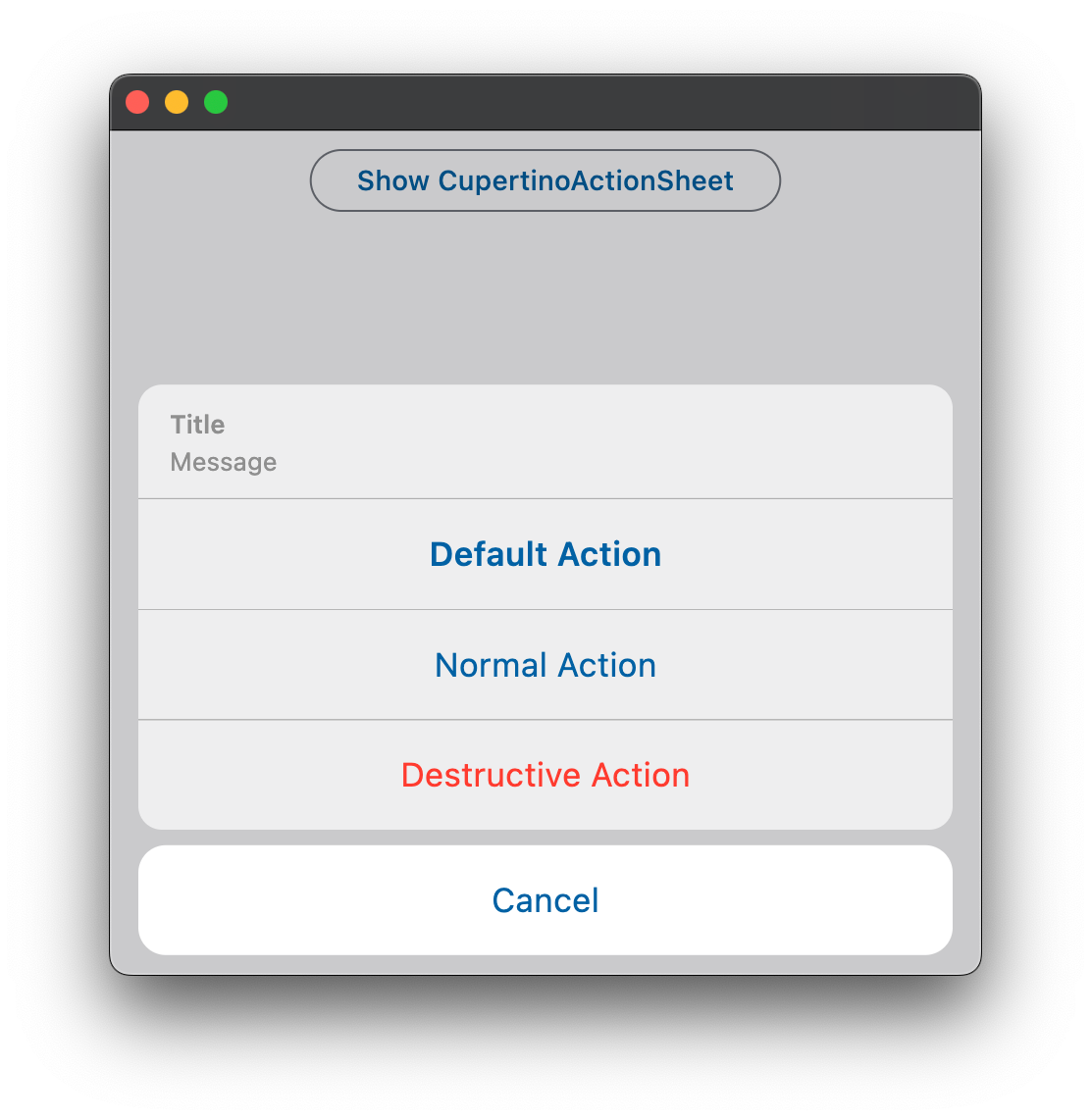
    action_sheet = ft.CupertinoActionSheet(
        title=ft.Row(
            alignment=ft.MainAxisAlignment.CENTER,
            controls=[ft.Text("Title"), ft.Icon(ft.Icons.BEDTIME)],
        ),
        message=ft.Row(
            alignment=ft.MainAxisAlignment.CENTER,
            controls=[ft.Text("Description"), ft.Icon(ft.Icons.AUTO_AWESOME)],
        ),
        cancel=ft.CupertinoActionSheetAction(
            on_click=handle_click,
            content=ft.Text("Cancel"),
        ),
        actions=[
            ft.CupertinoActionSheetAction(
                default=True,
                on_click=handle_click,
                content=ft.Text("Default Action"),
            ),
            ft.CupertinoActionSheetAction(
                on_click=handle_click,
                content=ft.Text("Normal Action"),
            ),
            ft.CupertinoActionSheetAction(
                destructive=True,
                on_click=handle_click,
                content=ft.Text("Destructive Action"),
            ),
        ],
    )

    bottom_sheet = ft.CupertinoBottomSheet(action_sheet)

    page.add(
        ft.SafeArea(
            content=ft.Column(
                horizontal_alignment=ft.CrossAxisAlignment.CENTER,
                controls=[
                    ft.CupertinoFilledButton(
                        on_click=lambda _: page.show_dialog(bottom_sheet),
                        content="Open CupertinoBottomSheet",
                    ),
                    messages,
                ],
            ),
        )
    )


if __name__ == "__main__":
    ft.run(main)
Properties
actionsclass-attributeinstance-attribute
actions: Optional[list[Control]] = NoneA list of action buttons to be shown in the sheet.
These actions are typically CupertinoActionSheetActions.
cancelclass-attributeinstance-attribute
cancel: Optional[Control] = NoneAn optional control to be shown below the actions but grouped separately from them.
Typically a CupertinoActionSheetAction button.
messageclass-attributeinstance-attribute
message: Optional[StrOrControl] = NoneA control containing a descriptive message that provides more details about the reason for the alert.
Typically a Text control.
titleclass-attributeinstance-attribute
title: Optional[StrOrControl] = NoneA control containing the title of the action sheet.
Typically a Text control.