CupertinoPicker
An iOS-styled picker.
Inherits: LayoutControl
Properties
bgcolor- The background color of this timer picker.controls- A list of controls representing items in this picker.default_selection_overlay_bgcolor- The default background color of the selection_overlay.diameter_ratio- Relative ratio between this picker's height and the simulated cylinder's diameter.item_extent- The uniform height of all controls.looping- IfTrue, children on a wheel can be scrolled in a loop.magnification- The zoomed-in or magnification rate of the magnifier.off_axis_fraction- How much the wheel is horizontally off-center, as a fraction of its width.selected_index- The index (starting from0) of the selected item in the controls list.selection_overlay- A control overlaid on the picker to highlight the selected entry, centered and matching the height of the center row.squeeze- The angular compactness of the children on the wheel.use_magnifier- Whether to use the magnifier for the center item of this picker's wheel.
Events
on_change- Called when the selection changes.
Examples
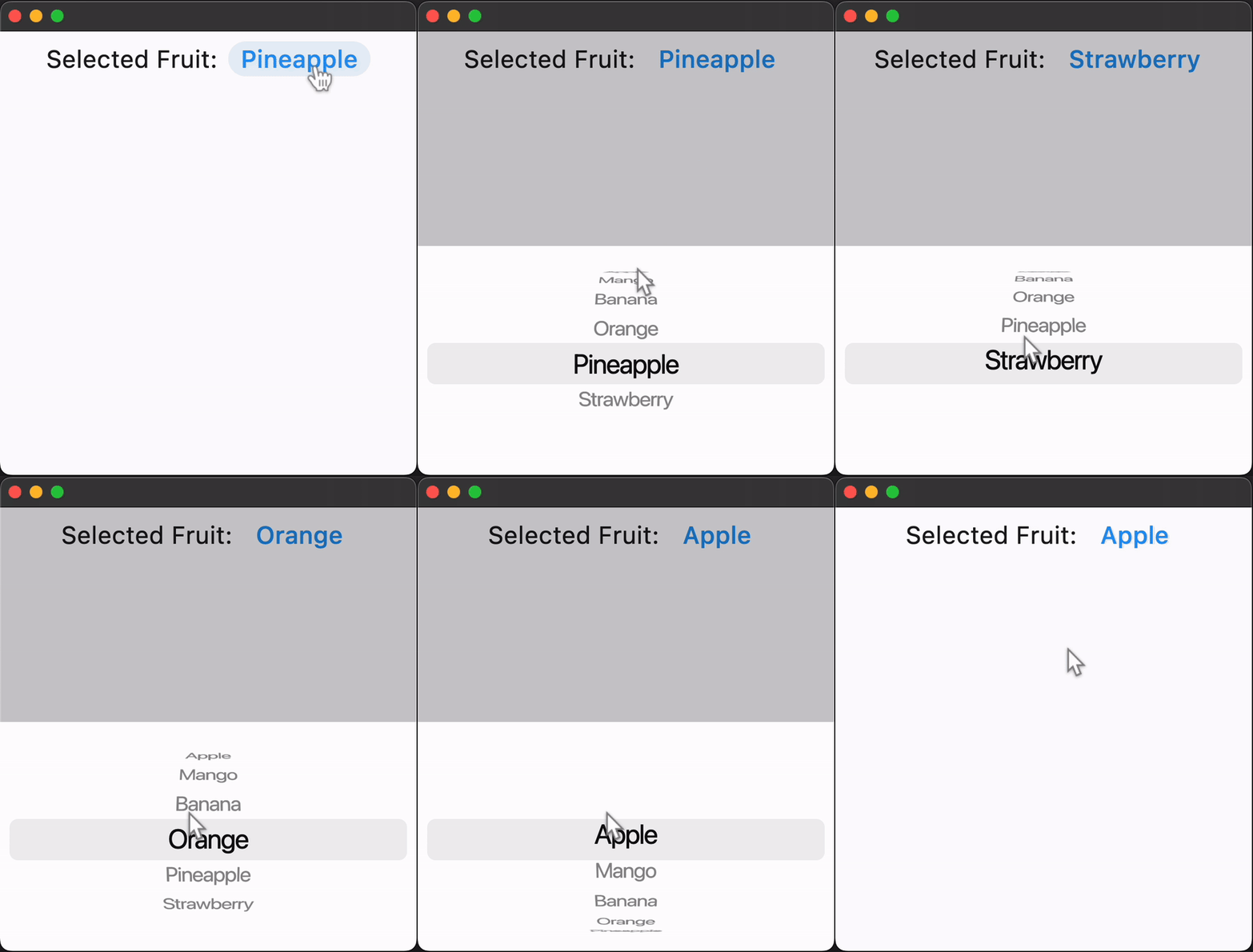
Fruit selection
import flet as ft

FRUITS = [
    "Apple",
    "Mango",
    "Banana",
    "Orange",
    "Pineapple",
    "Strawberry",
]


def main(page: ft.Page):
    page.horizontal_alignment = ft.CrossAxisAlignment.CENTER

    selected_fruit_text = ft.Text(value=FRUITS[3], size=23)

    def handle_selection_change(e: ft.Event[ft.CupertinoPicker]):
        selected_fruit_text.value = FRUITS[int(e.data)]

    cupertino_picker = ft.CupertinoPicker(
        selected_index=3,
        magnification=1.22,
        squeeze=1.2,
        use_magnifier=True,
        on_change=handle_selection_change,
        controls=[ft.Text(value=f) for f in FRUITS],
    )

    page.add(
        ft.SafeArea(
            content=ft.Row(
                tight=True,
                controls=[
                    ft.Text("Selected Fruit:", size=23),
                    ft.TextButton(
                        style=ft.ButtonStyle(color=ft.Colors.BLUE),
                        on_click=lambda _: page.show_dialog(
                            ft.CupertinoBottomSheet(
                                height=216,
                                padding=ft.Padding.only(top=6),
                                content=cupertino_picker,
                            )
                        ),
                        content=selected_fruit_text,
                    ),
                ],
            ),
        )
    )


if __name__ == "__main__":
    ft.run(main)
Properties
bgcolorclass-attributeinstance-attribute
bgcolor: Optional[ColorValue] = NoneThe background color of this timer picker.
controlsclass-attributeinstance-attribute
controls: list[Control] = field(default_factory=list)A list of controls representing items in this picker.
default_selection_overlay_bgcolorclass-attributeinstance-attribute
default_selection_overlay_bgcolor: ColorValue = CupertinoColors.TERTIARY_SYSTEM_FILLThe default background color of the selection_overlay.
diameter_ratioclass-attributeinstance-attribute
diameter_ratio: Number = 1.07Relative ratio between this picker's height and the simulated cylinder's diameter.
Smaller values create more pronounced curvatures in the scrollable wheel.
item_extentclass-attributeinstance-attribute
item_extent: Annotated[Number, V.gt(0.0)] = 32.0The uniform height of all controls.
Raises:
- ValueError - If it is not strictly greater than
0.0.
loopingclass-attributeinstance-attribute
looping: bool = FalseIf True, children on a wheel can be scrolled in a loop.
magnificationclass-attributeinstance-attribute
magnification: Annotated[Number, V.gt(0.0)] = 1.0The zoomed-in or magnification rate of the magnifier.
If the value is greater than 1.0, the item in the center will be zoomed in by that
rate, and it will also be rendered as flat, not cylindrical like the rest of the
list. The item will be zoomed-out if magnification is less than 1.0.
Has effect only if use_magnifier is True.
Raises:
- ValueError - If it is not strictly greater than
0.0.
off_axis_fractionclass-attributeinstance-attribute
off_axis_fraction: Number = 0.0How much the wheel is horizontally off-center, as a fraction of its width.
selected_indexclass-attributeinstance-attribute
selected_index: int = 0The index (starting from 0) of the selected item in the controls list.
selection_overlayclass-attributeinstance-attribute
selection_overlay: Optional[Control] = NoneA control overlaid on the picker to highlight the selected entry, centered and matching the height of the center row.
Defaults to a rounded rectangle in iOS 14 style with default_selection_overlay_bgcolor as background color.
squeezeclass-attributeinstance-attribute
squeeze: Annotated[Number, V.gt(0.0)] = 1.45The angular compactness of the children on the wheel.
Raises:
- ValueError - If it is not strictly greater than
0.0.
use_magnifierclass-attributeinstance-attribute
use_magnifier: bool = FalseWhether to use the magnifier for the center item of this picker's wheel.
Events
on_changeclass-attributeinstance-attribute
on_change: Optional[ControlEventHandler[CupertinoPicker]] = NoneCalled when the selection changes.