BottomSheet
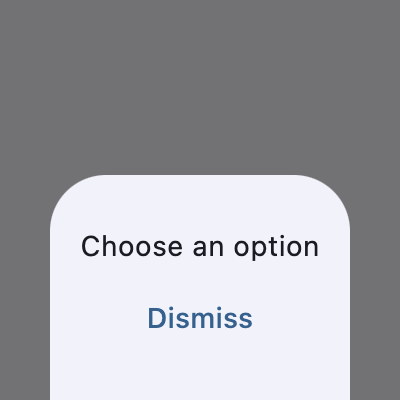
A modal bottom sheet.
Displays a temporary surface anchored to the bottom of the screen that presents supplemental content or actions. Prevents interaction with the underlying app while visible.
Example:
sheet = ft.BottomSheet(
    content=ft.Column(
        width=150,
        alignment=ft.MainAxisAlignment.CENTER,
        horizontal_alignment=ft.CrossAxisAlignment.CENTER,
        controls=[
            ft.Text("Choose an option"),
            ft.TextButton("Dismiss"),
        ],
    )
)
page.show_dialog(sheet)
Inherits: DialogControl
Properties
animation_style- The animation style of this bottom sheet.barrier_color- The color of the scrim that obscures content behind this bottom sheet.bgcolor- The background color of this bottom sheet.clip_behavior- Defines how the content of this bottom sheet should be clipped.content- The content of this bottom sheet.dismissible- Specifies whether this bottom sheet will be dismissed when user taps on the scrim.draggable- Specifies whether this bottom sheet can be dragged up and down and dismissed by swiping downwards.elevation- Defines the size of the shadow below this bottom sheet.fullscreen- Expands the sheet to fill the window/page height.maintain_bottom_view_insets_padding- Adds a padding at the bottom to avoid obstructing this bottom sheet's content with on-screen keyboard or other system elements.scrollable- Removes the half-height cap so the sheet can grow with its content.shape- Defines the shape of this bottom sheet.show_drag_handle- Whether to display drag handle at the top of sheet or not.size_constraints- The size constraints to apply to this bottom sheet.use_safe_area- Specifies whether the sheet will avoid system intrusions on the top, left, and right.
Examples
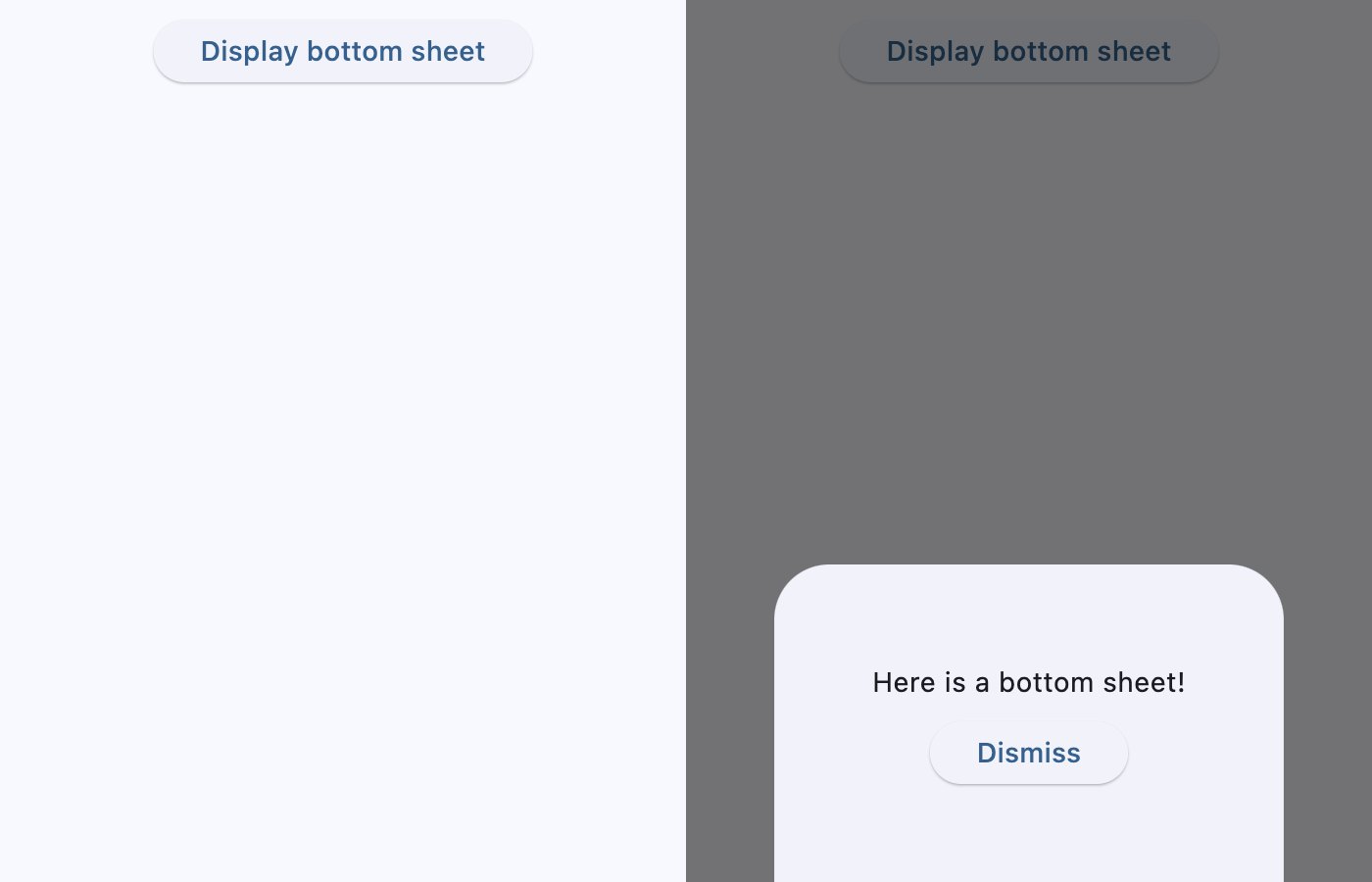
Basic example
import flet as ft


def main(page: ft.Page):
    page.title = "BottomSheet Example"
    page.horizontal_alignment = ft.CrossAxisAlignment.CENTER

    def handle_sheet_dismissal(e: ft.Event[ft.DialogControl]):
        page.add(ft.Text("Bottom sheet dismissed"))

    sheet = ft.BottomSheet(
        on_dismiss=handle_sheet_dismissal,
        content=ft.Container(
            padding=50,
            content=ft.Column(
                horizontal_alignment=ft.CrossAxisAlignment.CENTER,
                tight=True,
                controls=[
                    ft.Text("Here is a bottom sheet!"),
                    ft.Button("Dismiss", on_click=lambda _: page.pop_dialog()),
                ],
            ),
        ),
    )

    page.add(
        ft.SafeArea(
            # avoid_intrusions_left=False,
            # avoid_intrusions_top=False,
            # avoid_intrusions_right=False,
            # avoid_intrusions_bottom=False,
            content=ft.Column(
                controls=[
                    ft.Button(
                        content="Display bottom sheet",
                        on_click=lambda e: page.show_dialog(sheet),
                    )
                ]
            ),
        )
    )


if __name__ == "__main__":
    ft.run(main)
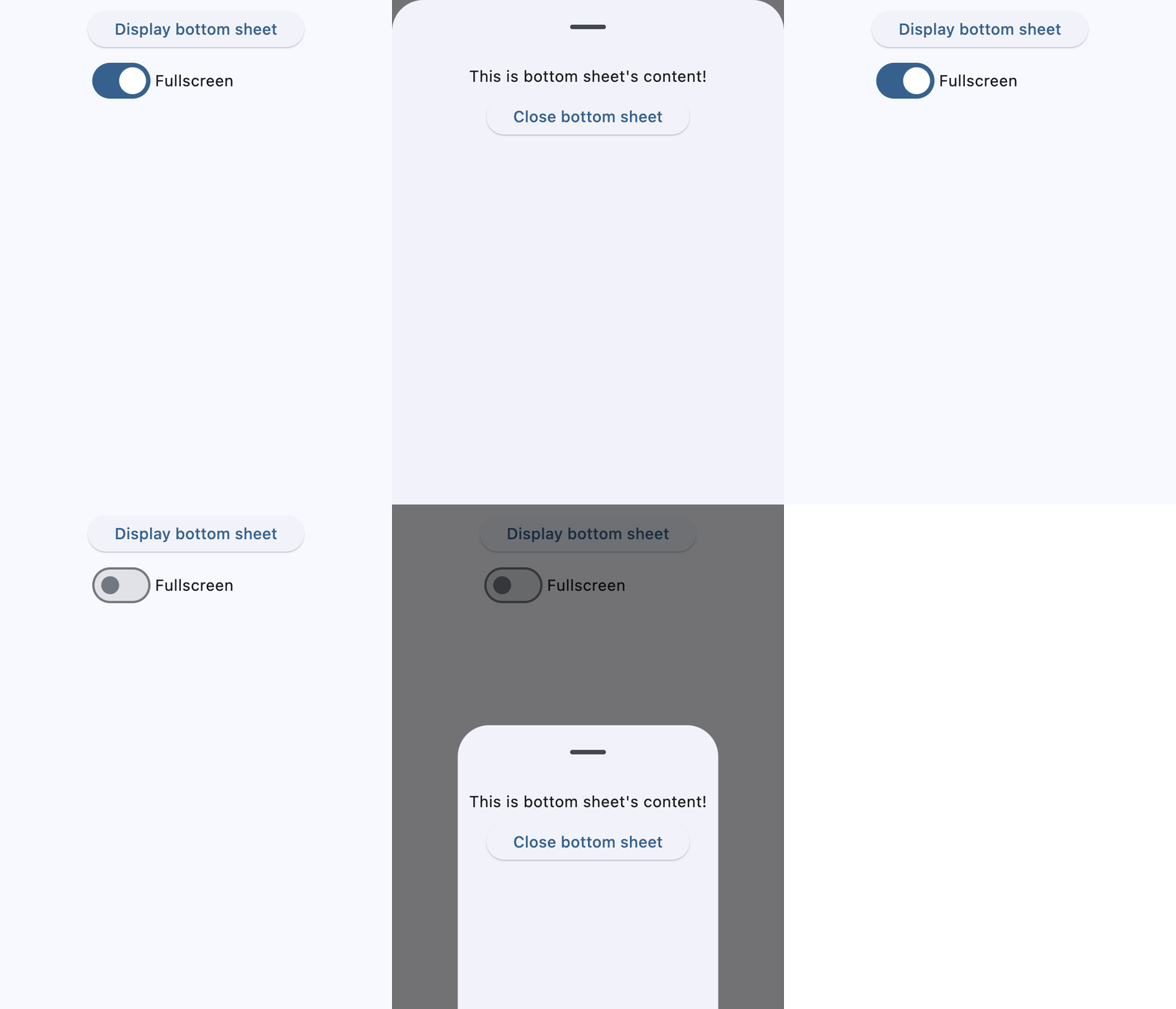
Fullscreen
import flet as ft


def main(page: ft.Page):
    page.horizontal_alignment = ft.CrossAxisAlignment.CENTER

    def handle_switch_change(e: ft.Event[ft.Switch]):
        sheet.fullscreen = e.control.value

    sheet = ft.BottomSheet(
        fullscreen=True,
        show_drag_handle=True,
        content=ft.Container(
            padding=ft.Padding.all(10),
            content=ft.Column(
                horizontal_alignment=ft.CrossAxisAlignment.CENTER,
                controls=[
                    ft.Text("This is bottom sheet's content!"),
                    ft.Button("Close bottom sheet", on_click=lambda: page.pop_dialog()),
                ],
            ),
        ),
    )

    page.add(
        ft.SafeArea(
            content=ft.Column(
                horizontal_alignment=ft.CrossAxisAlignment.START,
                controls=[
                    ft.Button(
                        content="Display bottom sheet",
                        on_click=lambda e: page.show_dialog(sheet),
                    ),
                    ft.Switch(
                        value=True,
                        label="Fullscreen",
                        on_change=handle_switch_change,
                    ),
                ],
            )
        ),
    )


if __name__ == "__main__":
    ft.run(main)
Properties
animation_styleclass-attributeinstance-attribute
animation_style: Optional[AnimationStyle] = NoneThe animation style of this bottom sheet.
barrier_colorclass-attributeinstance-attribute
barrier_color: Optional[ColorValue] = NoneThe color of the scrim that obscures content behind this bottom sheet.
bgcolorclass-attributeinstance-attribute
bgcolor: Optional[ColorValue] = NoneThe background color of this bottom sheet.
clip_behaviorclass-attributeinstance-attribute
clip_behavior: Optional[ClipBehavior] = NoneDefines how the content of this bottom sheet should be clipped.
contentinstance-attribute
content: ControlThe content of this bottom sheet.
Set scrollable True if this content is or contains scrollable
controls (e.g., ListView, GridView) or you plan to
expand the content or give it a custom height, else the bottom
sheet might ignore the custom height and stop around mid-screen.
dismissibleclass-attributeinstance-attribute
dismissible: bool = TrueSpecifies whether this bottom sheet will be dismissed when user taps on the scrim.
draggableclass-attributeinstance-attribute
draggable: bool = FalseSpecifies whether this bottom sheet can be dragged up and down and dismissed by swiping downwards.
elevationclass-attributeinstance-attribute
elevation: Annotated[Optional[Number], V.ge(0)] = NoneDefines the size of the shadow below this bottom sheet.
Raises:
- ValueError - If it is not greater than or equal to
0.
fullscreenclass-attributeinstance-attribute
fullscreen: bool = FalseExpands the sheet to fill the window/page height.
If set to True, scrollable is internally set to True equally,
so the sheet can grow freely to fill the page.
maintain_bottom_view_insets_paddingclass-attributeinstance-attribute
maintain_bottom_view_insets_padding: bool = TrueAdds a padding at the bottom to avoid obstructing this bottom sheet's content with on-screen keyboard or other system elements.
scrollableclass-attributeinstance-attribute
scrollable: bool = FalseRemoves the half-height cap so the sheet can grow with its content.
Set this to True whenever the sheet body contains scrollable controls
(e.g., ListView, GridView) or you plan to expand the
content or give it a custom height, else the bottom sheet might
ignore the custom height and stop around mid-screen.
shapeclass-attributeinstance-attribute
shape: Optional[OutlinedBorder] = NoneDefines the shape of this bottom sheet.
show_drag_handleclass-attributeinstance-attribute
show_drag_handle: bool = FalseWhether to display drag handle at the top of sheet or not.
size_constraintsclass-attributeinstance-attribute
size_constraints: Optional[BoxConstraints] = NoneThe size constraints to apply to this bottom sheet.
use_safe_areaclass-attributeinstance-attribute
use_safe_area: bool = TrueSpecifies whether the sheet will avoid system intrusions on the top, left, and right.