GestureDetector
A control that detects gestures.
Attempts to recognize gestures that correspond to its non-None callbacks.
If this control has a content, it defers to that child control for its sizing behavior, else it grows to fit the parent instead.
Inherits: LayoutControl, AdaptiveControl
Properties
allowed_devices- TBDcontent- A child Control contained by the gesture detector.drag_interval- Throttling in milliseconds for horizontal drag, vertical drag and pan update events.exclude_from_semantics- TBDhover_interval- Throttling in milliseconds for on_hover event.mouse_cursor- The mouse cursor for mouse pointers that are hovering over the control.multi_tap_touches- The minimum number of pointers to trigger on_multi_tap event.trackpad_scroll_causes_scale- TBD
Events
on_double_tap- The user has tapped the screen with a primary button at the same location twice in quick succession.on_double_tap_cancel- The pointer sequence that was expected to cause a double tap will not do so.on_double_tap_down- Called when a pointer that might cause a double tap has contacted the screen at a particular location.on_enter- Called when a mouse pointer has entered this control.on_exit- Called when a mouse pointer has exited this control.on_force_press_end- Called when the pointer that triggered a force press is no longer in contact with the screen.on_force_press_peak- Called when a pointer has pressed with a force exceeding the peak pressure.on_force_press_start- Called when a pointer has pressed with a force exceeding the start pressure.on_force_press_update- Called for each update after a force press has started.on_horizontal_drag_cancel- The pointer that previously triggered on_horizontal_drag_down will not end up causing a horizontal drag.on_horizontal_drag_down- Called when a pointer has contacted the screen and might begin to move horizontally.on_horizontal_drag_end- Called when a pointer moving horizontally is no longer in contact and was moving at a specific velocity.on_horizontal_drag_start- Called when a pointer has contacted the screen with a primary button and has begun to move horizontally.on_horizontal_drag_update- Called when a pointer that is in contact with the screen and moving horizontally has moved in the horizontal direction.on_hover- Called when a mouse pointer has entered this control.on_long_press- Called when a long press gesture with a primary button has been recognized.on_long_press_cancel- The pointer that previously triggered on_long_press_down will not end up causing a long-press.on_long_press_down- Called when a pointer that might cause a long press with a primary button has contacted the screen.on_long_press_end- Called when a pointer that has triggered a long-press with a primary button has stopped contacting the screen.on_long_press_move_update- Called when, after a long press has been accepted, the pointer moves.on_long_press_start- Triggered when a pointer has remained in contact with the screen at the same location for a long period of time.on_long_press_up- Called when a pointer that has triggered a long press with a primary button is no longer in contact with the screen.on_multi_long_press- Called when a long press gesture with multiple pointers has been recognized.on_multi_tap- Called when multiple pointers contacted the screen.on_pan_cancel- The pointer that previously triggered on_pan_down will not end up causing a pan gesture.on_pan_down- Called when a pointer has contacted the screen and might begin to move.on_pan_end- Called when a pointer is no longer in contact and was moving at a specific velocity.on_pan_start- Called when a pointer has contacted the screen and has begun to move.on_pan_update- Called when a pointer that is in contact with the screen and moving has moved again.on_right_pan_end- A pointer with secondary button pressed is no longer in contact and was moving at a specific velocity.on_right_pan_start- Pointer has contacted the screen while secondary button pressed and has begun to move.on_right_pan_update- A pointer that is in contact with the screen, secondary button pressed and moving has moved again.on_scale_end- TBDon_scale_start- Called when the pointers in contact with the screen have established a focal point and initial scale of1.0.on_scale_update- TBDon_scroll- TBDon_secondary_long_press- Called when a long press gesture with a secondary button has been recognized.on_secondary_long_press_cancel- The pointer that previously triggered on_secondary_long_press_down not end up causing a long-press.on_secondary_long_press_down- Called when a pointer that might cause a long press with a secondary button has contacted the screen.on_secondary_long_press_end- Called when a pointer that has triggered a long-press with a secondary button has stopped contacting the screen.on_secondary_long_press_move_update- Called when, after a secondary long press has been accepted, the pointer moves.on_secondary_long_press_start- Triggered when a pointer has remained in contact with the screen at the same location for a long period of time.on_secondary_long_press_up- Called when a pointer that has triggered a long press with a secondary button is no longer in contact with the screen.on_secondary_tap- A tap with a secondary button has occurred.on_secondary_tap_cancel- The pointer that previously triggered on_secondary_tap_down will not end up causing a tap.on_secondary_tap_down- Called when a pointer that might cause a tap with a secondary button has contacted the screen at a particular location.on_secondary_tap_up- Called when a pointer that will trigger a tap with a secondary button has stopped contacting the screen at a particular location.on_tap- Called when a tap with a primary button has occurred.on_tap_cancel- The pointer that previously triggered on_tap_down will not end up causing a tap.on_tap_down- Called when a pointer that might cause a tap with a primary button has contacted the screen at a particular location.on_tap_move- Called when a pointer that triggered a tap has moved.on_tap_up- Called when a pointer that will trigger a tap with a primary button has stopped contacting the screen at a particular location.on_tertiary_long_press- Called when a long press gesture with a tertiary button has been recognized.on_tertiary_long_press_cancel- The pointer that previously triggered on_tertiary_long_press_down will not end up causing a long-press.on_tertiary_long_press_down- Called when a pointer that might cause a long press with a tertiary button has contacted the screen.on_tertiary_long_press_end- Called when a pointer that has triggered a long-press with a tertiary button has stopped contacting the screen.on_tertiary_long_press_move_update- Called when, after a tertiary long press has been accepted, the pointer moves.on_tertiary_long_press_start- Triggered when a pointer has remained in contact with the screen at the same location for a long period of time.on_tertiary_long_press_up- Called when a pointer that has triggered a long press with a tertiary button is no longer in contact with the screen.on_tertiary_tap_cancel- The pointer that previously triggered on_tertiary_tap_down will not end up causing a tap.on_tertiary_tap_down- Called when a pointer that might cause a tap with a tertiary button has contacted the screen at a particular location.on_tertiary_tap_up- Called when a pointer that will trigger a tap with a tertiary button has stopped contacting the screen at a particular location.on_vertical_drag_cancel- The pointer that previously triggered on_vertical_drag_down will not end up causing a vertical drag.on_vertical_drag_down- Called when a pointer has contacted the screen and might begin to move vertically.on_vertical_drag_end- Called when a pointer moving vertically is no longer in contact and was moving at a specific velocity.on_vertical_drag_start- Called when a pointer has contacted the screen and has begun to move vertically.on_vertical_drag_update- A pointer moving vertically has moved in the vertical direction.
Examples
Handling events
import flet as ft


def main(page: ft.Page):
    page.add(
        ft.SafeArea(
            content=ft.GestureDetector(
                hover_interval=50,
                on_tap=lambda e: print(e),
                on_tap_down=lambda e: print(e),
                on_tap_up=lambda e: print(e),
                on_secondary_tap=lambda e: print(e),
                on_secondary_tap_down=lambda e: print(e),
                on_secondary_tap_up=lambda e: print(e),
                on_long_press_start=lambda e: print(e),
                on_long_press_end=lambda e: print(e),
                on_secondary_long_press_start=lambda e: print(e),
                on_secondary_long_press_end=lambda e: print(e),
                on_double_tap=lambda e: print(e),
                on_double_tap_down=lambda e: print(e),
                on_pan_start=lambda e: print(e),
                on_pan_update=lambda e: print(e),
                on_pan_end=lambda e: print(e),
                on_hover=lambda e: print(e),
                on_enter=lambda e: print(e),
                on_exit=lambda e: print(e),
                content=ft.Container(
                    bgcolor=ft.Colors.GREEN,
                    width=200,
                    height=200,
                ),
            ),
        )
    )


if __name__ == "__main__":
    ft.run(main)
Draggable containers
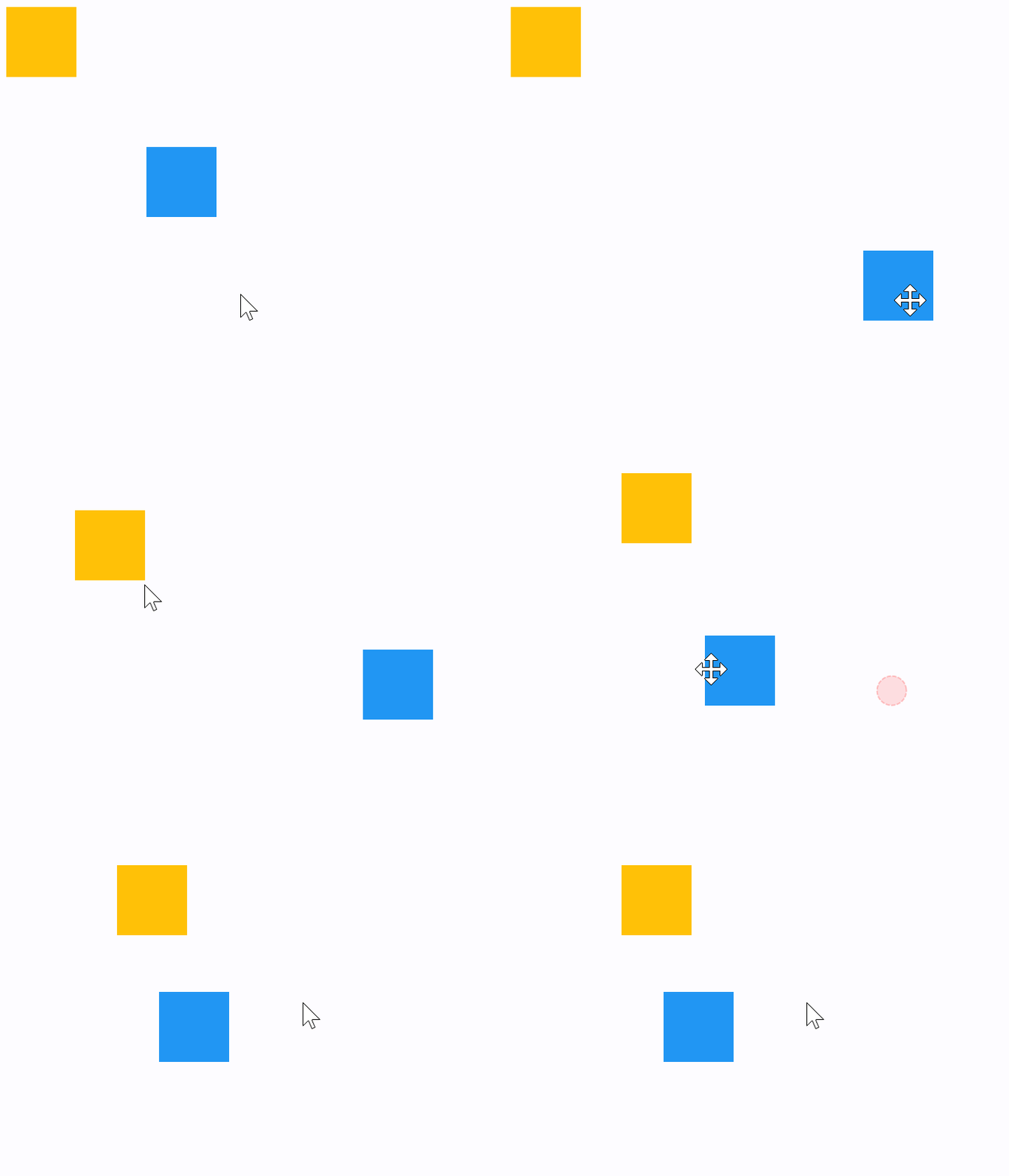
The following example demonstrates how a control can be freely dragged inside a Stack.
The sample also shows that GestureDetector can have a child control (blue container) as well as be nested inside another control (yellow container) giving the same results.
import flet as ft


def main(page: ft.Page):
    def handle_pan_update1(e: ft.DragUpdateEvent[ft.GestureDetector]):
        container = e.control.parent
        container.top = max(0.0, container.top + e.local_delta.y)
        container.left = max(0.0, container.left + e.local_delta.x)
        container.update()

    def handle_pan_update2(e: ft.DragUpdateEvent[ft.GestureDetector]):
        e.control.top = max(0.0, e.control.top + e.local_delta.y)
        e.control.left = max(0.0, e.control.left + e.local_delta.x)
        e.control.update()

    page.add(
        ft.SafeArea(
            content=ft.Stack(
                width=1000,
                height=500,
                controls=[
                    ft.Container(
                        bgcolor=ft.Colors.AMBER,
                        width=50,
                        height=50,
                        left=0,
                        top=0,
                        content=ft.GestureDetector(
                            mouse_cursor=ft.MouseCursor.MOVE,
                            drag_interval=10,
                            on_pan_update=handle_pan_update1,
                        ),
                    ),
                    ft.GestureDetector(
                        mouse_cursor=ft.MouseCursor.MOVE,
                        drag_interval=10,
                        on_vertical_drag_update=handle_pan_update2,
                        left=100,
                        top=100,
                        content=ft.Container(
                            bgcolor=ft.Colors.BLUE,
                            width=50,
                            height=50,
                        ),
                    ),
                ],
            ),
        )
    )


if __name__ == "__main__":
    ft.run(main)
Window drag area
import flet as ft


def main(page: ft.Page):
    def on_pan_update(e: ft.DragUpdateEvent[ft.GestureDetector]):
        page.window.left += e.global_delta.x
        page.window.top += e.global_delta.y

    page.add(
        ft.SafeArea(
            content=ft.Stack(
                width=1000,
                height=500,
                controls=[
                    ft.GestureDetector(
                        mouse_cursor=ft.MouseCursor.MOVE,
                        on_pan_update=on_pan_update,
                        left=200,
                        top=200,
                        content=ft.Container(
                            bgcolor=ft.Colors.PINK,
                            width=50,
                            height=50,
                        ),
                    ),
                ],
            ),
        )
    )


if __name__ == "__main__":
    ft.run(main)
Mouse Cursors
import random

import flet as ft


def main(page: ft.Page):
    def on_pan_update(event: ft.DragUpdateEvent[ft.GestureDetector]):
        container.top = max(0.0, container.top + event.local_delta.y)
        container.left = max(0.0, container.left + event.local_delta.x)
        container.update()

    gesture_detector = ft.GestureDetector(
        mouse_cursor=ft.MouseCursor.BASIC,
        drag_interval=50,
        on_pan_update=on_pan_update,
    )
    container = ft.Container(
        bgcolor=ft.Colors.AMBER,
        width=150,
        height=150,
        left=0,
        top=0,
        content=gesture_detector,
    )

    def handle_button_click(e: ft.Event[ft.Button]):
        gesture_detector.mouse_cursor = random.choice(list(ft.MouseCursor))
        text.value = f"Mouse Cursor:  {gesture_detector.mouse_cursor}"
        gesture_detector.update()
        text.update()

    page.add(
        ft.SafeArea(
            content=ft.Column(
                controls=[
                    ft.Stack(
                        width=1000,
                        height=500,
                        controls=[container],
                    ),
                    ft.Button("Change mouse Cursor", on_click=handle_button_click),
                    text := ft.Text(f"Mouse Cursor:  {gesture_detector.mouse_cursor}"),
                ],
            ),
        )
    )


if __name__ == "__main__":
    ft.run(main)
Properties
allowed_devicesclass-attributeinstance-attribute
allowed_devices: Optional[list[PointerDeviceType]] = NoneTBD
contentclass-attributeinstance-attribute
content: Optional[Control] = NoneA child Control contained by the gesture detector.
drag_intervalclass-attributeinstance-attribute
drag_interval: int = 0Throttling in milliseconds for horizontal drag, vertical drag and pan update events.
When a user moves a pointer a lot of events are being generated to do precise
tracking. drag_interval allows sending drag update events to a Flet program every
X milliseconds, thus preserving the bandwidth (web and mobile apps).
0 means no throttling: all events are sent to a Flet program,
resulting in very smooth tracking.
hover_intervalclass-attributeinstance-attribute
hover_interval: int = 0Throttling in milliseconds for on_hover event.
mouse_cursorclass-attributeinstance-attribute
mouse_cursor: Optional[MouseCursor] = NoneThe mouse cursor for mouse pointers that are hovering over the control.
multi_tap_touchesclass-attributeinstance-attribute
multi_tap_touches: int = 0The minimum number of pointers to trigger on_multi_tap event.
trackpad_scroll_causes_scaleclass-attributeinstance-attribute
trackpad_scroll_causes_scale: bool = FalseTBD
Events
on_double_tapclass-attributeinstance-attribute
on_double_tap: Optional[ControlEventHandler[GestureDetector]] = NoneThe user has tapped the screen with a primary button at the same location twice in quick succession.
on_double_tap_cancelclass-attributeinstance-attribute
on_double_tap_cancel: Optional[ControlEventHandler[GestureDetector]] = NoneThe pointer sequence that was expected to cause a double tap will not do so.
on_double_tap_downclass-attributeinstance-attribute
on_double_tap_down: Optional[EventHandler[TapEvent[GestureDetector]]] = NoneCalled when a pointer that might cause a double tap has contacted the screen at a particular location.
Triggered immediately after the down event of the second tap.
on_enterclass-attributeinstance-attribute
on_enter: Optional[EventHandler[HoverEvent[GestureDetector]]] = NoneCalled when a mouse pointer has entered this control.
on_exitclass-attributeinstance-attribute
on_exit: Optional[EventHandler[HoverEvent[GestureDetector]]] = NoneCalled when a mouse pointer has exited this control.
on_force_press_endclass-attributeinstance-attribute
on_force_press_end: Optional[EventHandler[ForcePressEvent[GestureDetector]]] = NoneCalled when the pointer that triggered a force press is no longer in contact with the screen.
on_force_press_peakclass-attributeinstance-attribute
on_force_press_peak: Optional[EventHandler[ForcePressEvent[GestureDetector]]] = NoneCalled when a pointer has pressed with a force exceeding the peak pressure.
on_force_press_startclass-attributeinstance-attribute
on_force_press_start: Optional[EventHandler[ForcePressEvent[GestureDetector]]] = NoneCalled when a pointer has pressed with a force exceeding the start pressure.
on_force_press_updateclass-attributeinstance-attribute
on_force_press_update: Optional[EventHandler[ForcePressEvent[GestureDetector]]] = NoneCalled for each update after a force press has started.
on_horizontal_drag_cancelclass-attributeinstance-attribute
on_horizontal_drag_cancel: Optional[ControlEventHandler[GestureDetector]] = NoneThe pointer that previously triggered on_horizontal_drag_down will not end up causing a horizontal drag.
on_horizontal_drag_downclass-attributeinstance-attribute
on_horizontal_drag_down: Optional[EventHandler[DragDownEvent[GestureDetector]]] = NoneCalled when a pointer has contacted the screen and might begin to move horizontally.
on_horizontal_drag_endclass-attributeinstance-attribute
on_horizontal_drag_end: Optional[EventHandler[DragEndEvent[GestureDetector]]] = NoneCalled when a pointer moving horizontally is no longer in contact and was moving at a specific velocity.
on_horizontal_drag_startclass-attributeinstance-attribute
on_horizontal_drag_start: Optional[EventHandler[DragStartEvent[GestureDetector]]] = NoneCalled when a pointer has contacted the screen with a primary button and has begun to move horizontally.
on_horizontal_drag_updateclass-attributeinstance-attribute
on_horizontal_drag_update: Optional[EventHandler[DragUpdateEvent[GestureDetector]]] = NoneCalled when a pointer that is in contact with the screen and moving horizontally has moved in the horizontal direction.
on_hoverclass-attributeinstance-attribute
on_hover: Optional[EventHandler[HoverEvent[GestureDetector]]] = NoneCalled when a mouse pointer has entered this control.
on_long_pressclass-attributeinstance-attribute
on_long_press: Optional[ControlEventHandler[GestureDetector]] = NoneCalled when a long press gesture with a primary button has been recognized.
on_long_press_cancelclass-attributeinstance-attribute
on_long_press_cancel: Optional[ControlEventHandler[GestureDetector]] = NoneThe pointer that previously triggered on_long_press_down will not end up causing a long-press.
on_long_press_downclass-attributeinstance-attribute
on_long_press_down: Optional[EventHandler[LongPressDownEvent[GestureDetector]]] = NoneCalled when a pointer that might cause a long press with a primary button has contacted the screen.
on_long_press_endclass-attributeinstance-attribute
on_long_press_end: Optional[EventHandler[LongPressEndEvent[GestureDetector]]] = NoneCalled when a pointer that has triggered a long-press with a primary button has stopped contacting the screen.
on_long_press_move_updateclass-attributeinstance-attribute
on_long_press_move_update: Optional[EventHandler[LongPressMoveUpdateEvent[GestureDetector]]] = NoneCalled when, after a long press has been accepted, the pointer moves.
on_long_press_startclass-attributeinstance-attribute
on_long_press_start: Optional[EventHandler[LongPressStartEvent[GestureDetector]]] = NoneTriggered when a pointer has remained in contact with the screen at the same location for a long period of time.
on_long_press_upclass-attributeinstance-attribute
on_long_press_up: Optional[ControlEventHandler[GestureDetector]] = NoneCalled when a pointer that has triggered a long press with a primary button is no longer in contact with the screen.
on_multi_long_pressclass-attributeinstance-attribute
on_multi_long_press: Optional[EventHandler[LongPressEndEvent[GestureDetector]]] = NoneCalled when a long press gesture with multiple pointers has been recognized.
on_multi_tapclass-attributeinstance-attribute
on_multi_tap: Optional[EventHandler[TapEvent[GestureDetector]]] = NoneCalled when multiple pointers contacted the screen.
on_pan_cancelclass-attributeinstance-attribute
on_pan_cancel: Optional[ControlEventHandler[GestureDetector]] = NoneThe pointer that previously triggered on_pan_down will not end up causing a pan gesture.
on_pan_downclass-attributeinstance-attribute
on_pan_down: Optional[EventHandler[DragDownEvent[GestureDetector]]] = NoneCalled when a pointer has contacted the screen and might begin to move.
on_pan_endclass-attributeinstance-attribute
on_pan_end: Optional[EventHandler[DragEndEvent[GestureDetector]]] = NoneCalled when a pointer is no longer in contact and was moving at a specific velocity.
on_pan_startclass-attributeinstance-attribute
on_pan_start: Optional[EventHandler[DragStartEvent[GestureDetector]]] = NoneCalled when a pointer has contacted the screen and has begun to move.
on_pan_updateclass-attributeinstance-attribute
on_pan_update: Optional[EventHandler[DragUpdateEvent[GestureDetector]]] = NoneCalled when a pointer that is in contact with the screen and moving has moved again.
on_right_pan_endclass-attributeinstance-attribute
on_right_pan_end: Optional[EventHandler[PointerEvent[GestureDetector]]] = NoneA pointer with secondary button pressed is no longer in contact and was moving at a specific velocity.
on_right_pan_startclass-attributeinstance-attribute
on_right_pan_start: Optional[EventHandler[PointerEvent[GestureDetector]]] = NonePointer has contacted the screen while secondary button pressed and has begun to move.
on_right_pan_updateclass-attributeinstance-attribute
on_right_pan_update: Optional[EventHandler[PointerEvent[GestureDetector]]] = NoneA pointer that is in contact with the screen, secondary button pressed and moving has moved again.
on_scale_endclass-attributeinstance-attribute
on_scale_end: Optional[EventHandler[ScaleEndEvent[GestureDetector]]] = NoneTBD
on_scale_startclass-attributeinstance-attribute
on_scale_start: Optional[EventHandler[ScaleStartEvent[GestureDetector]]] = NoneCalled when the pointers in contact with the screen have established a focal point and initial scale of 1.0.
on_scale_updateclass-attributeinstance-attribute
on_scale_update: Optional[EventHandler[ScaleUpdateEvent[GestureDetector]]] = NoneTBD
on_scrollclass-attributeinstance-attribute
on_scroll: Optional[EventHandler[ScrollEvent[GestureDetector]]] = NoneTBD
on_secondary_long_pressclass-attributeinstance-attribute
on_secondary_long_press: Optional[ControlEventHandler[GestureDetector]] = NoneCalled when a long press gesture with a secondary button has been recognized.
on_secondary_long_press_cancelclass-attributeinstance-attribute
on_secondary_long_press_cancel: Optional[ControlEventHandler[GestureDetector]] = NoneThe pointer that previously triggered on_secondary_long_press_down not end up causing a long-press.
on_secondary_long_press_downclass-attributeinstance-attribute
on_secondary_long_press_down: Optional[EventHandler[LongPressDownEvent[GestureDetector]]] = NoneCalled when a pointer that might cause a long press with a secondary button has contacted the screen.
on_secondary_long_press_endclass-attributeinstance-attribute
on_secondary_long_press_end: Optional[EventHandler[LongPressEndEvent[GestureDetector]]] = NoneCalled when a pointer that has triggered a long-press with a secondary button has stopped contacting the screen.
on_secondary_long_press_move_updateclass-attributeinstance-attribute
on_secondary_long_press_move_update: Optional[EventHandler[LongPressMoveUpdateEvent[GestureDetector]]] = NoneCalled when, after a secondary long press has been accepted, the pointer moves.
on_secondary_long_press_startclass-attributeinstance-attribute
on_secondary_long_press_start: Optional[EventHandler[LongPressStartEvent[GestureDetector]]] = NoneTriggered when a pointer has remained in contact with the screen at the same location for a long period of time.
on_secondary_long_press_upclass-attributeinstance-attribute
on_secondary_long_press_up: Optional[ControlEventHandler[GestureDetector]] = NoneCalled when a pointer that has triggered a long press with a secondary button is no longer in contact with the screen.
on_secondary_tapclass-attributeinstance-attribute
on_secondary_tap: Optional[ControlEventHandler[GestureDetector]] = NoneA tap with a secondary button has occurred.
on_secondary_tap_cancelclass-attributeinstance-attribute
on_secondary_tap_cancel: Optional[ControlEventHandler[GestureDetector]] = NoneThe pointer that previously triggered on_secondary_tap_down will not end up causing a tap.
on_secondary_tap_downclass-attributeinstance-attribute
on_secondary_tap_down: Optional[EventHandler[TapEvent[GestureDetector]]] = NoneCalled when a pointer that might cause a tap with a secondary button has contacted the screen at a particular location.
on_secondary_tap_upclass-attributeinstance-attribute
on_secondary_tap_up: Optional[EventHandler[TapEvent[GestureDetector]]] = NoneCalled when a pointer that will trigger a tap with a secondary button has stopped contacting the screen at a particular location.
on_tapclass-attributeinstance-attribute
on_tap: Optional[EventHandler[TapEvent[GestureDetector]]] = NoneCalled when a tap with a primary button has occurred.
on_tap_cancelclass-attributeinstance-attribute
on_tap_cancel: Optional[ControlEventHandler[GestureDetector]] = NoneThe pointer that previously triggered on_tap_down will not end up causing a tap.
on_tap_downclass-attributeinstance-attribute
on_tap_down: Optional[EventHandler[TapEvent[GestureDetector]]] = NoneCalled when a pointer that might cause a tap with a primary button has contacted the screen at a particular location.
on_tap_moveclass-attributeinstance-attribute
on_tap_move: Optional[EventHandler[TapMoveEvent[GestureDetector]]] = NoneCalled when a pointer that triggered a tap has moved.
on_tap_upclass-attributeinstance-attribute
on_tap_up: Optional[EventHandler[TapEvent[GestureDetector]]] = NoneCalled when a pointer that will trigger a tap with a primary button has stopped contacting the screen at a particular location.
on_tertiary_long_pressclass-attributeinstance-attribute
on_tertiary_long_press: Optional[ControlEventHandler[GestureDetector]] = NoneCalled when a long press gesture with a tertiary button has been recognized.
on_tertiary_long_press_cancelclass-attributeinstance-attribute
on_tertiary_long_press_cancel: Optional[ControlEventHandler[GestureDetector]] = NoneThe pointer that previously triggered on_tertiary_long_press_down will not end up causing a long-press.
on_tertiary_long_press_downclass-attributeinstance-attribute
on_tertiary_long_press_down: Optional[EventHandler[LongPressDownEvent[GestureDetector]]] = NoneCalled when a pointer that might cause a long press with a tertiary button has contacted the screen.
on_tertiary_long_press_endclass-attributeinstance-attribute
on_tertiary_long_press_end: Optional[EventHandler[LongPressEndEvent[GestureDetector]]] = NoneCalled when a pointer that has triggered a long-press with a tertiary button has stopped contacting the screen.
on_tertiary_long_press_move_updateclass-attributeinstance-attribute
on_tertiary_long_press_move_update: Optional[EventHandler[LongPressMoveUpdateEvent[GestureDetector]]] = NoneCalled when, after a tertiary long press has been accepted, the pointer moves.
on_tertiary_long_press_startclass-attributeinstance-attribute
on_tertiary_long_press_start: Optional[EventHandler[LongPressStartEvent[GestureDetector]]] = NoneTriggered when a pointer has remained in contact with the screen at the same location for a long period of time.
on_tertiary_long_press_upclass-attributeinstance-attribute
on_tertiary_long_press_up: Optional[ControlEventHandler[GestureDetector]] = NoneCalled when a pointer that has triggered a long press with a tertiary button is no longer in contact with the screen.
on_tertiary_tap_cancelclass-attributeinstance-attribute
on_tertiary_tap_cancel: Optional[ControlEventHandler[GestureDetector]] = NoneThe pointer that previously triggered on_tertiary_tap_down will not end up causing a tap.
on_tertiary_tap_downclass-attributeinstance-attribute
on_tertiary_tap_down: Optional[EventHandler[TapEvent[GestureDetector]]] = NoneCalled when a pointer that might cause a tap with a tertiary button has contacted the screen at a particular location.
on_tertiary_tap_upclass-attributeinstance-attribute
on_tertiary_tap_up: Optional[EventHandler[TapEvent[GestureDetector]]] = NoneCalled when a pointer that will trigger a tap with a tertiary button has stopped contacting the screen at a particular location.
on_vertical_drag_cancelclass-attributeinstance-attribute
on_vertical_drag_cancel: Optional[ControlEventHandler[GestureDetector]] = NoneThe pointer that previously triggered on_vertical_drag_down will not end up causing a vertical drag.
on_vertical_drag_downclass-attributeinstance-attribute
on_vertical_drag_down: Optional[EventHandler[DragDownEvent[GestureDetector]]] = NoneCalled when a pointer has contacted the screen and might begin to move vertically.
on_vertical_drag_endclass-attributeinstance-attribute
on_vertical_drag_end: Optional[EventHandler[DragEndEvent[GestureDetector]]] = NoneCalled when a pointer moving vertically is no longer in contact and was moving at a specific velocity.
on_vertical_drag_startclass-attributeinstance-attribute
on_vertical_drag_start: Optional[EventHandler[DragStartEvent[GestureDetector]]] = NoneCalled when a pointer has contacted the screen and has begun to move vertically.
on_vertical_drag_updateclass-attributeinstance-attribute
on_vertical_drag_update: Optional[EventHandler[DragUpdateEvent[GestureDetector]]] = NoneA pointer moving vertically has moved in the vertical direction.