CupertinoAppBar
An iOS-styled app bar.
Inherits: Control
Properties
automatic_background_visibility- Whether the navigation bar should appear transparent when content is scrolled under it.automatically_imply_leading- Whether we should try to imply the leading control ifNone.automatically_imply_title- Whether we should try to imply thetitlecontrol ifNone.bgcolor- The fill color to use for this app bar.border- The border of the app bar.brightness- The brightness of the specified bgcolor.enable_background_filter_blur- Whether to have a blur effect when a non-opaque bgcolor is used.large- Whether to use a large app bar layout.leading- A control to display at the start of this app bar.padding- Defines the padding for the contents of the app bar.previous_page_title- Manually specify the previous route's title when automatically implying the leading back button.title- A string or a control to display in the middle of this app bar.trailing- A Control to place at the end of the app bar.transition_between_routes- Determines whether the app bar transitions between routes.
Examples
Basic Example
import flet as ft


def main(page: ft.Page):
    page.theme_mode = ft.ThemeMode.LIGHT

    page.appbar = ft.CupertinoAppBar(
        leading=ft.Icon(ft.Icons.PALETTE, color=ft.Colors.ON_SECONDARY),
        title=ft.Text("CupertinoAppBar Example"),
        trailing=ft.Icon(ft.Icons.WB_SUNNY_OUTLINED, color=ft.Colors.ON_SECONDARY),
        automatic_background_visibility=False,
        bgcolor=ft.Colors.SECONDARY,
        brightness=ft.Brightness.LIGHT,
    )

    page.add(
        ft.SafeArea(
            content=ft.Text("Body!"),
        )
    )


if __name__ == "__main__":
    ft.run(main)
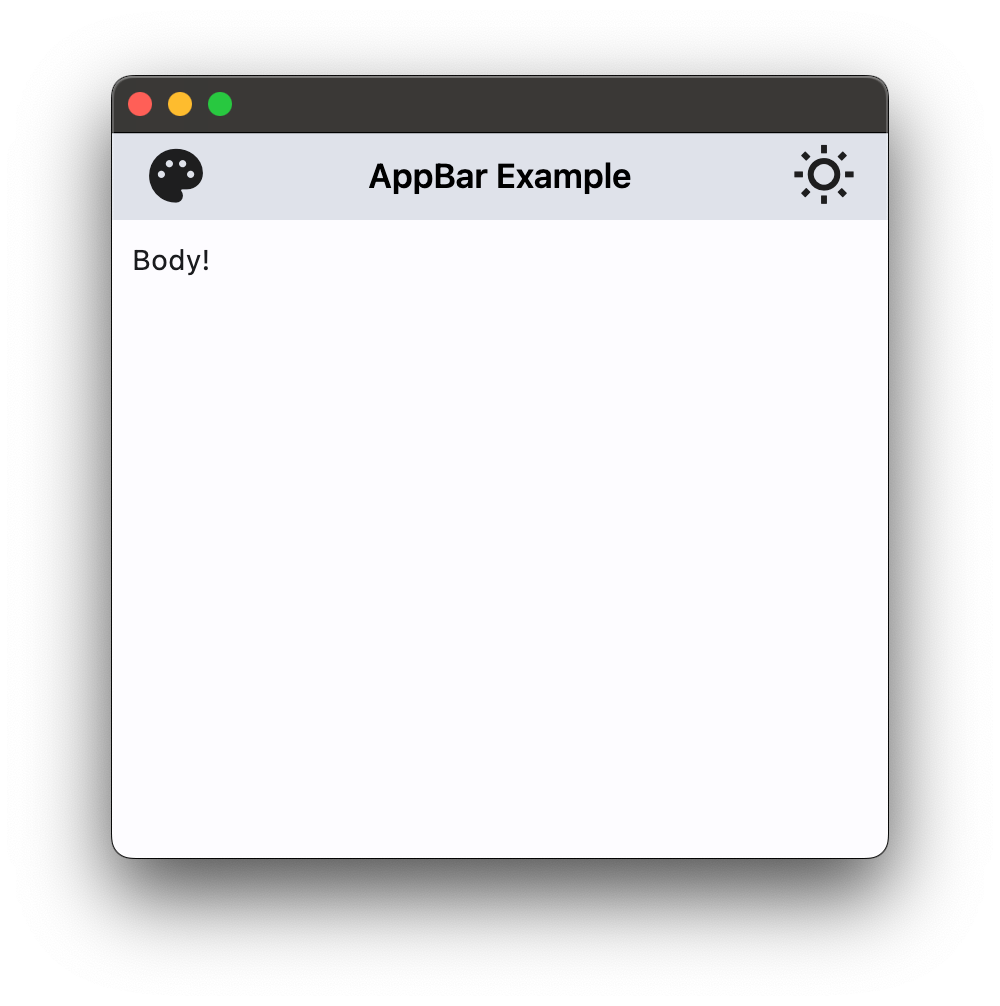
App bar with theme mode toggle
import flet as ft


def main(page: ft.Page):
    page.theme_mode = ft.ThemeMode.LIGHT

    def handle_theme_mode_toggle(_: ft.Event[ft.IconButton]):
        page.theme_mode = (
            ft.ThemeMode.DARK
            if page.theme_mode == ft.ThemeMode.LIGHT
            else ft.ThemeMode.LIGHT
        )
        theme_mode_button.icon = (
            ft.Icons.WB_SUNNY_OUTLINED
            if page.theme_mode == ft.ThemeMode.LIGHT
            else ft.Icons.WB_SUNNY
        )

    theme_mode_button = ft.IconButton(
        icon=(
            ft.Icons.WB_SUNNY_OUTLINED
            if page.theme_mode == ft.ThemeMode.LIGHT
            else ft.Icons.WB_SUNNY
        ),
        icon_color=ft.Colors.ON_INVERSE_SURFACE,
        on_click=handle_theme_mode_toggle,
    )

    page.appbar = ft.CupertinoAppBar(
        automatic_background_visibility=False,
        leading=ft.Icon(ft.Icons.PALETTE, color=ft.Colors.ON_INVERSE_SURFACE),
        bgcolor=ft.Colors.INVERSE_SURFACE,
        trailing=theme_mode_button,
        title=ft.Text("CupertinoAppBar Example", color=ft.Colors.ON_INVERSE_SURFACE),
    )

    page.add(
        ft.SafeArea(
            content=ft.Text("Body!"),
        )
    )


if __name__ == "__main__":
    ft.run(main)
Properties
automatic_background_visibilityclass-attributeinstance-attribute
automatic_background_visibility: Optional[bool] = NoneWhether the navigation bar should appear transparent when content is scrolled under it.
If False, the navigation bar will display its bgcolor.
automatically_imply_leadingclass-attributeinstance-attribute
automatically_imply_leading: Optional[bool] = NoneWhether we should try to imply the leading control if None.
automatically_imply_titleclass-attributeinstance-attribute
automatically_imply_title: Optional[bool] = NoneWhether we should try to imply the title control if None.
- If True and
titleisNone, a Text control containing the current route's title will be automatically filled in. - If the
titleis notNone, this parameter has no effect.
bgcolorclass-attributeinstance-attribute
bgcolor: Optional[ColorValue] = NoneThe fill color to use for this app bar.
Default color is defined by current theme.
borderclass-attributeinstance-attribute
border: Optional[Border] = NoneThe border of the app bar. By default, a single pixel bottom border side is rendered.
brightnessclass-attributeinstance-attribute
brightness: Optional[Brightness] = NoneThe brightness of the specified bgcolor.
Setting this value changes the style of the system status bar. It is typically used to increase the contrast ratio of the system status bar over bgcolor.
If None (the default), its value will be inferred from the relative luminance of
the bgcolor.
enable_background_filter_blurclass-attributeinstance-attribute
enable_background_filter_blur: Optional[bool] = NoneWhether to have a blur effect when a non-opaque bgcolor is used.
This will only be respected when automatic_background_visibility
is False or until content scrolls under the navigation bar.
largeclass-attributeinstance-attribute
large: bool = FalseWhether to use a large app bar layout.
If True, the title is left-aligned;
if False, the title is centered.
leadingclass-attributeinstance-attribute
leading: Optional[Control] = NoneA control to display at the start of this app bar.
Typically the leading control is an Icon or an IconButton .
If it is None and automatically_imply_leading is True,
an appropriate button will be automatically created.
paddingclass-attributeinstance-attribute
padding: Optional[PaddingValue] = NoneDefines the padding for the contents of the app bar.
If None, the app bar will adopt the following defaults:
- vertically, contents will be sized to the same height as the app bar itself minus the status bar.
- horizontally, padding will be
16pixels according to iOS specifications unless the leading widget is an automatically inserted back button, in which case the padding will be0.
Vertical padding (top and bottom) won't change the height of this app bar.
previous_page_titleclass-attributeinstance-attribute
previous_page_title: Optional[str] = NoneManually specify the previous route's title when automatically implying the leading back button.
Overrides the text shown with the back chevron instead of automatically showing the
previous route's title when automatically_imply_leading is True.
Has no effect if leading is not None or if
automatically_imply_leading is False.
titleclass-attributeinstance-attribute
title: Optional[StrOrControl] = NoneA string or a control to display in the middle of this app bar.
Typically a Text.
trailingclass-attributeinstance-attribute
trailing: Optional[Control] = NoneA Control to place at the end of the app bar.
Typically used for actions such as searching or editing.
transition_between_routesclass-attributeinstance-attribute
transition_between_routes: bool = TrueDetermines whether the app bar transitions between routes.
If True, this app bar will animate on top of route transitions when the
destination route also contains a CupertinoAppBar or CupertinoSliverAppBar with
transition_between_routes set to True.
This transition also occurs during edge back swipe gestures, mimicking native iOS behavior.
When enabled, only one app bar can be present per route unless a
hero_tag is specified.