ReorderableListView
A scrollable list of controls that can be reordered.
By default, each child control (from controls) is draggable using an automatically created drag handle (see show_default_drag_handles). To customize the draggable area, use ReorderableDragHandle to define your own drag handle or region.
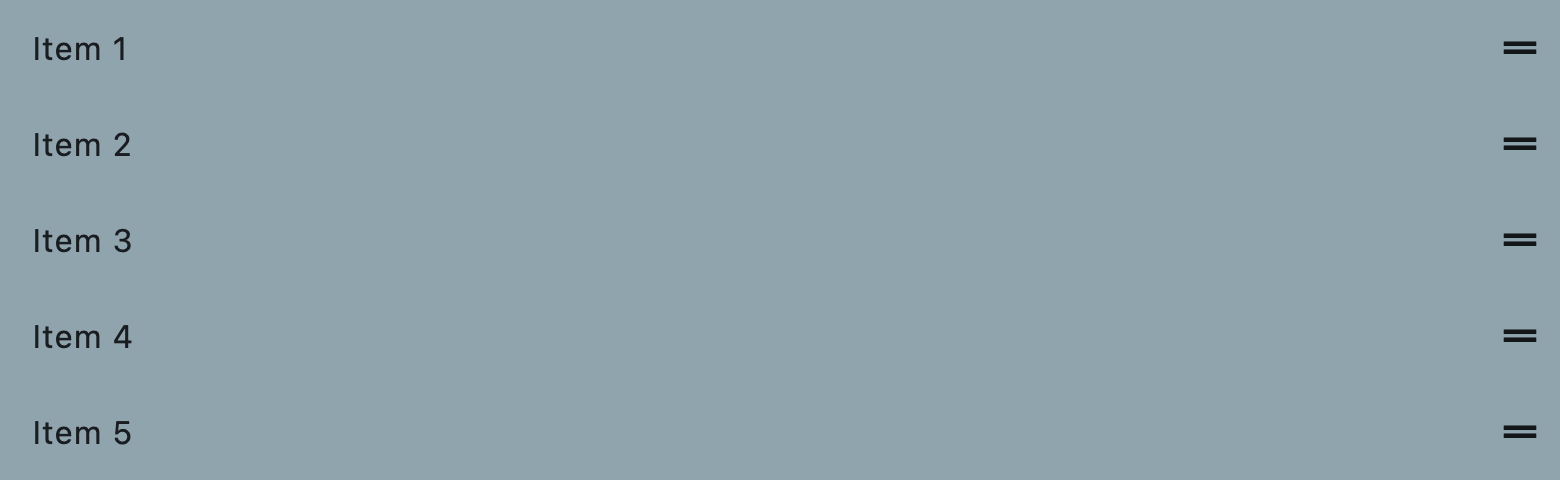
Example:
ft.ReorderableListView(
    controls=[
        ft.ListTile(
            title=ft.Text(f"Item {i}"),
            bgcolor=ft.Colors.BLUE_GREY_300,
        )
        for i in range(1, 6)
    ],
)
Inherits: ListView
Properties
anchor- The relative position of the zero scroll offset.auto_scroller_velocity_scalar- The velocity scalar per pixel over scroll.controls- The controls displayed by this ReorderableListView.footer- A non-reorderable footer item to show after controls.header- A non-reorderable header item to show before controls.mouse_cursor- The cursor for a mouse pointer when it enters or is hovering over the drag handle.show_default_drag_handles- Whether to show default drag handles for each controls item.
Events
on_reorder- Called when a controls item has been dragged to a new location/position.on_reorder_end- Called when the dragged controls item is dropped.on_reorder_start- Called when a controls item drag has started.
Examples
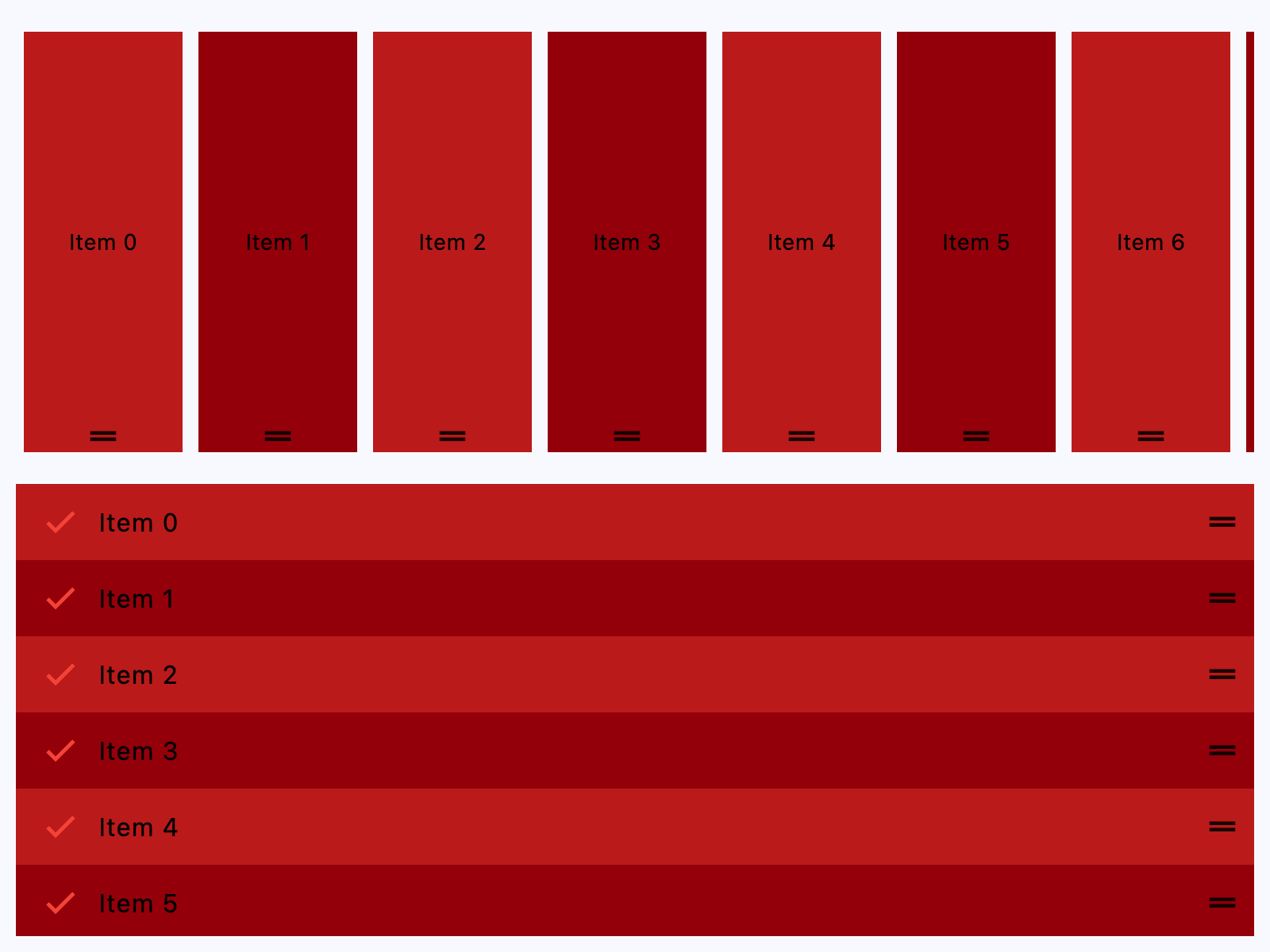
Horizontal and Vertical
import flet as ft


def main(page: ft.Page):
    # the primary color is the color of the reorder handle
    page.theme = page.dark_theme = ft.Theme(
        color_scheme=ft.ColorScheme(primary=ft.Colors.BLUE)
    )

    def handle_reorder(e: ft.OnReorderEvent):
        # Reorder controls list to match the UI change
        e.control.controls.insert(e.new_index, e.control.controls.pop(e.old_index))

    def get_color(i):
        return ft.Colors.ERROR if i % 2 == 0 else ft.Colors.ON_ERROR_CONTAINER

    page.add(
        ft.SafeArea(
            expand=True,
            content=ft.Column(
                [  # horizontal
                    ft.ReorderableListView(
                        expand=True,
                        horizontal=True,
                        on_reorder=handle_reorder,
                        controls=[
                            ft.Container(
                                content=ft.Text(f"Item {i}", color=ft.Colors.BLACK),
                                bgcolor=get_color(i),
                                margin=ft.Margin.symmetric(horizontal=5, vertical=10),
                                width=100,
                                alignment=ft.Alignment.CENTER,
                            )
                            for i in range(10)
                        ],
                    ),
                    # vertical
                    ft.ReorderableListView(
                        expand=True,
                        on_reorder=handle_reorder,
                        controls=[
                            ft.ListTile(
                                title=ft.Text(f"Item {i}", color=ft.Colors.BLACK),
                                leading=ft.Icon(ft.Icons.CHECK, color=ft.Colors.RED),
                                bgcolor=get_color(i),
                            )
                            for i in range(10)
                        ],
                    ),
                ]
            ),
        )
    )


if __name__ == "__main__":
    ft.run(main)
Custom drag handle
See this.
Properties
anchorclass-attributeinstance-attribute
anchor: Number = 0.0The relative position of the zero scroll offset.
auto_scroller_velocity_scalarclass-attributeinstance-attribute
auto_scroller_velocity_scalar: Optional[Number] = NoneThe velocity scalar per pixel over scroll.
It represents how the velocity scale with the over scroll distance. The auto-scroll velocity = (distance of overscroll) * velocity scalar.
controlsclass-attributeinstance-attribute
controls: list[Control] = field(default_factory=list)The controls displayed by this ReorderableListView.
When an item of this list gets reordered, the on_reorder event gets
fired, but it doesn't reorder the controls list automatically. So, to keep
controls list in sync with the UI, reorder this list inside your
on_reorder event handler. See on_reorder for an example.
footerclass-attributeinstance-attribute
footer: Optional[Control] = NoneA non-reorderable footer item to show after controls.
headerclass-attributeinstance-attribute
header: Optional[Control] = NoneA non-reorderable header item to show before controls.
mouse_cursorclass-attributeinstance-attribute
mouse_cursor: Optional[MouseCursor] = NoneThe cursor for a mouse pointer when it enters or is hovering over the drag handle.
show_default_drag_handlesclass-attributeinstance-attribute
show_default_drag_handles: bool = TrueWhether to show default drag handles for each controls item.
If True: on desktop platforms, a drag handle is stacked over the
center of each item's trailing edge; on mobile platforms, a long
press anywhere on the item starts a drag.
The default desktop drag handle is just an Icons.DRAG_HANDLE
wrapped by a ReorderableDragHandle. On mobile platforms, the
entire item is wrapped with a ReorderableDragHandle.
To customize the appearance or layout of drag handles, wrap each
controls item, or a control within each of them, with a
ReorderableDragHandle. For full control over the drag handles,
you might want to set show_default_drag_handles to False.
ft.ReorderableListView(
    show_default_drag_handles=False,
    controls=[
        ft.ListTile(
            title=ft.Text(f"Draggable Item {i}", color=ft.Colors.BLACK),
            leading=ft.ReorderableDragHandle(
                content=ft.Icon(ft.Icons.DRAG_INDICATOR, color=ft.Colors.RED),
                mouse_cursor=ft.MouseCursor.GRAB,
            ),
        )
        for i in range(10)
    ],
)
Events
on_reorderclass-attributeinstance-attribute
on_reorder: Optional[EventHandler[OnReorderEvent]] = NoneCalled when a controls item has been dragged to a new location/position.
This event does not reorder controls automatically. So, to keep controls list in sync with the UI, reorder it accordingly inside your on_reorder event handler.
Example:
    def handle_reorder(e: ft.OnReorderEvent):
        rlv = e.control
        moved_item = rlv.controls.pop(e.old_index)  # Remove the reordered item from its old position
        rlv.controls.insert(e.new_index, moved_item)  # Insert the reordered item into its new position
        rlv.update()
on_reorder_endclass-attributeinstance-attribute
on_reorder_end: Optional[EventHandler[OnReorderEvent]] = NoneCalled when the dragged controls item is dropped.
on_reorder_startclass-attributeinstance-attribute
on_reorder_start: Optional[EventHandler[OnReorderEvent]] = NoneCalled when a controls item drag has started.