OutlinedButton
Outlined buttons are medium-emphasis buttons. They contain actions that are important, but aren't the primary action in an app. Outlined buttons pair well with filled buttons to indicate an alternative, secondary action.
Example:
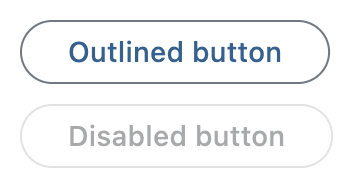
ft.OutlinedButton(content="Outlined button")

Inherits: LayoutControl, AdaptiveControl
Properties
autofocus- True if the control will be selected as the initial focus.clip_behavior- The content will be clipped (or not) according to this option.content- A Control representing custom button content.icon- An icon to display in this button.icon_color- Icon color.styleurl- The URL to open when this button is clicked.
Events
on_blur- Called when this button has lost focus.on_click- Called when a user clicks this button.on_focus- Called when this button has received focus.on_hover- Called when a mouse pointer enters or exists this button's response area.on_long_press- Called when this button is long-pressed.
Methods
focus- Requests focus for this control.
Examples
Basic example
import flet as ft


def main(page: ft.Page):
    page.title = "OutlinedButton Example"

    page.add(
        ft.SafeArea(
            content=ft.Column(
                controls=[
                    ft.OutlinedButton(content="Outlined button"),
                    ft.OutlinedButton(content="Disabled button", disabled=True),
                ]
            )
        )
    )


if __name__ == "__main__":
    ft.run(main)
Handling clicks
import flet as ft


def main(page: ft.Page):
    page.title = "OutlinedButton Example"
    page.theme_mode = ft.ThemeMode.LIGHT

    def handle_button_click(e: ft.Event[ft.OutlinedButton]):
        button.data += 1
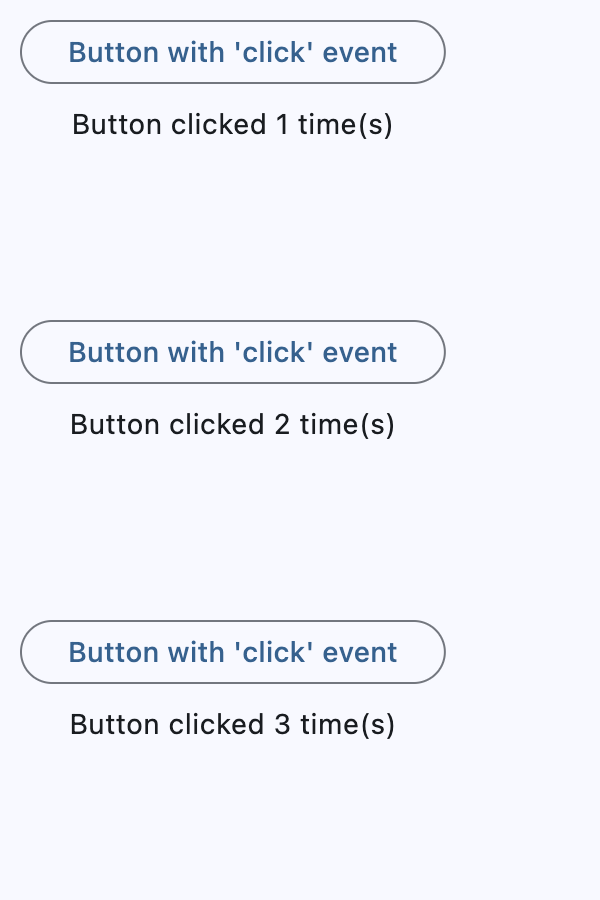
        message.value = f"Button clicked {button.data} time(s)"
        page.update()

    button = ft.OutlinedButton(
        content="Button with 'click' event",
        data=0,
        on_click=handle_button_click,
    )
    message = ft.Text()

    page.add(
        ft.SafeArea(
            content=ft.Column(
                controls=[button, message],
                alignment=ft.MainAxisAlignment.CENTER,
                horizontal_alignment=ft.CrossAxisAlignment.CENTER,
                expand=True,
            )
        )
    )


if __name__ == "__main__":
    ft.run(main)
Icons
import flet as ft


def main(page: ft.Page):
    page.title = "OutlinedButton Example"

    page.add(
        ft.SafeArea(
            content=ft.Column(
                controls=[
                    ft.OutlinedButton(
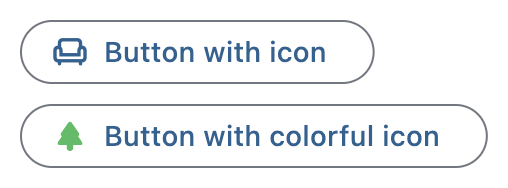
                        content="Button with icon", icon=ft.Icons.CHAIR_OUTLINED
                    ),
                    ft.OutlinedButton(
                        content="Button with colorful icon",
                        icon=ft.Icons.PARK_ROUNDED,
                        icon_color=ft.Colors.GREEN_400,
                    ),
                ]
            )
        )
    )


if __name__ == "__main__":
    ft.run(main)
Custom content
import flet as ft


def main(page: ft.Page):
    page.title = "OutlinedButton Example"
    page.theme_mode = ft.ThemeMode.LIGHT

    page.add(
        ft.SafeArea(
            content=ft.Column(
                controls=[
                    ft.OutlinedButton(
                        width=150,
                        content=ft.Row(
                            alignment=ft.MainAxisAlignment.SPACE_AROUND,
                            controls=[
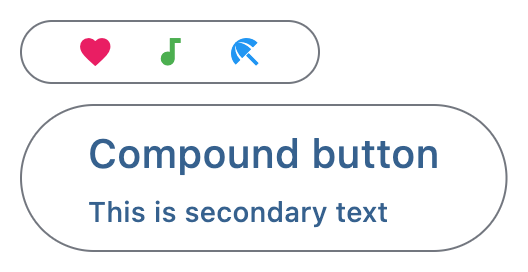
                                ft.Icon(ft.Icons.FAVORITE, color=ft.Colors.PINK),
                                ft.Icon(ft.Icons.AUDIOTRACK, color=ft.Colors.GREEN),
                                ft.Icon(ft.Icons.BEACH_ACCESS, color=ft.Colors.BLUE),
                            ],
                        ),
                    ),
                    ft.OutlinedButton(
                        content=ft.Container(
                            padding=ft.Padding.all(10),
                            content=ft.Column(
                                alignment=ft.MainAxisAlignment.CENTER,
                                spacing=5,
                                controls=[
                                    ft.Text(value="Compound button", size=20),
                                    ft.Text(value="This is secondary text"),
                                ],
                            ),
                        ),
                    ),
                ],
            )
        )
    )


if __name__ == "__main__":
    ft.run(main)
Properties
autofocusclass-attributeinstance-attribute
autofocus: bool = FalseTrue if the control will be selected as the initial focus.
If there is more than one control on a page with autofocus set, then the first one added to the page will get focus.
clip_behaviorclass-attributeinstance-attribute
clip_behavior: ClipBehavior = ClipBehavior.NONEThe content will be clipped (or not) according to this option.
contentclass-attributeinstance-attribute
content: Optional[StrOrControl] = NoneA Control representing custom button content.
Raises:
- ValueError - If neither icon nor
contentis provided.
iconclass-attributeinstance-attribute
icon: Optional[IconDataOrControl] = NoneAn icon to display in this button.
styleclass-attributeinstance-attribute
style: Optional[ButtonStyle] = NoneEvents
on_blurclass-attributeinstance-attribute
on_blur: Optional[ControlEventHandler[OutlinedButton]] = NoneCalled when this button has lost focus.
on_clickclass-attributeinstance-attribute
on_click: Optional[ControlEventHandler[OutlinedButton]] = NoneCalled when a user clicks this button.
on_focusclass-attributeinstance-attribute
on_focus: Optional[ControlEventHandler[OutlinedButton]] = NoneCalled when this button has received focus.
on_hoverclass-attributeinstance-attribute
on_hover: Optional[ControlEventHandler[OutlinedButton]] = NoneCalled when a mouse pointer enters or exists this button's response area.
data property of event object contains true (string) when cursor enters and
false when it exits.
on_long_pressclass-attributeinstance-attribute
on_long_press: Optional[ControlEventHandler[OutlinedButton]] = NoneCalled when this button is long-pressed.